

agent_id that is used in every API call, telephony setup, and web call integration.
Prerequisite: You need a Vaani account. If you haven’t signed up yet, head to Create an Account first.
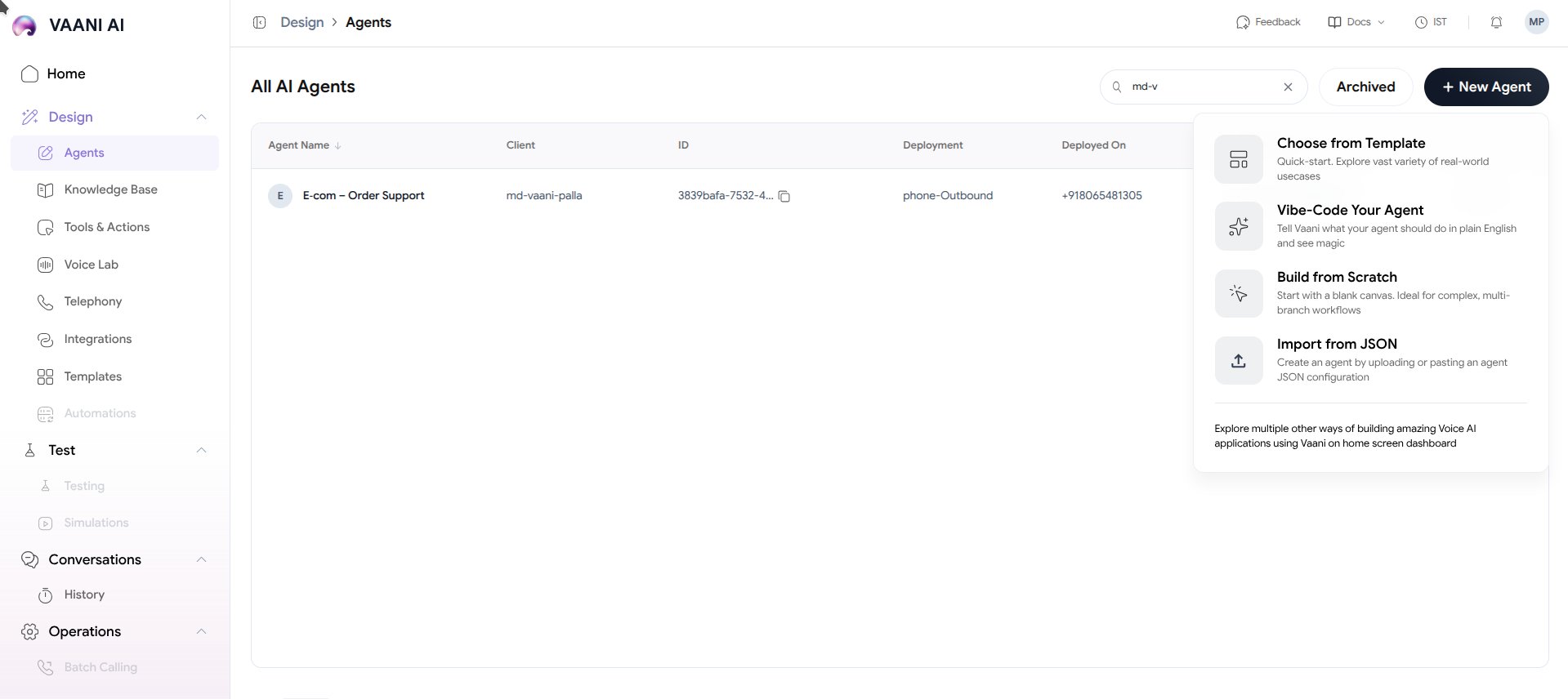
4 Ways to Create an Agent
Vaani offers four distinct creation paths tailored to your workflow and technical requirements:Choose from Template
Quick-start. Explore a vast variety of pre-configured, real-world industry use cases with ready-made prompts and voice personas.
Vibe-Code Your Agent
Prompt-to-Agent. Tell Vaani what your agent should do in plain English and see AI architect your voice loop in seconds.
Build from Scratch
Blank canvas. Design complex, multi-branch dialog flows, custom state machines, and strict compliance rules from the ground up.
Import from JSON
GitOps / Infrastructure-as-Code. Upload or paste a JSON configuration to automate agent deployment across environments.
Comparison: Which Method Should You Use?
What is an Agent?
Behind the scenes, every voice agent combines three core technologies into a sub-second audio loop:- Ears (Speech-to-Text): Transcribes the caller’s spoken voice with low latency and accents support (e.g. Deepgram Nova-2, Sarvam).
- Brain (LLM & Logic): Understands intent, accesses Knowledge Base context, calls tools, and generates responses.
- Mouth (Text-to-Speech): Converts generated text into hyper-realistic, human-sounding speech with natural pauses and emotion.
Video Walkthrough
Understanding the agent_id
Once you save an agent created through any method, you will see your Agent ID displayed on the agent overview page.
Next Steps: Configure Your Agent
Once your agent is created, dive into configuring its behavior across the 6 core pillars:Overview
Identity, greeting, and language pipeline
Persona
STT, LLM, TTS, voice engines & tone
Training
Knowledge base, documents & tools
Experience
Ambient sound, interruptions & latency
Analysis
Evaluation criteria & structured extractions
Deploy
Telephony, web widget & API keys